Image & Print Size
T-Shirt Print Size Chart Explained (Adult Unisex)
Adult unisex starting widths for left chest, full front, back and sleeve — full size matrix plus how to convert inches to pixels.
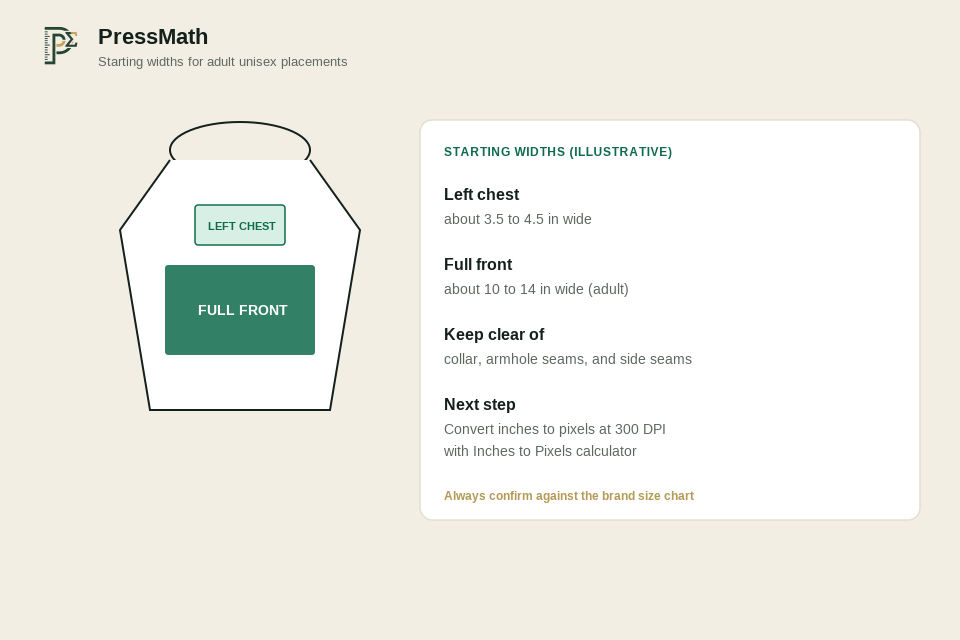
Direct answer: Use a published starting-width chart, then convert inches → pixels at your production DPI. Charts are starting points — brand fit, stretch and art style still change what looks balanced.
Adult unisex starting widths (inches)
Same defaults as the T-Shirt Print Size Guide. Illustrative — verify on your blank template.
| Size | Left chest | Full front | Full back | Sleeve |
|---|---|---|---|---|
| XS | 3.5 | 10 | 11 | 2.5 |
| S | 3.75 | 11 | 12 | 2.75 |
| M | 4 | 12 | 13 | 3 |
| L | 4 | 12.5 | 14 | 3 |
| XL | 4.25 | 13 | 14.5 | 3.25 |
| 2XL | 4.5 | 14 | 15 | 3.5 |
Worked pixel example (Adult M full front)
Width 12 in at 300 DPI → 12 × 300 = 3600 px wide. Build height from art aspect ratio; leave neck/hem clearance. Convert any row with Inches to Pixels.
Clearance rules that prevent reprints
- Stay clear of seams, collars and pockets
- Left-chest logos usually stay under ~4 in tall
- Check both DPI and physical size — a sharp small file is still “too small” if the customer expected a full front
- Youth and women’s cuts: reduce widths; do not reuse adult M defaults
Related workflow
Verify resolution with the DPI Calculator after you lock width. Metric briefs: cm → inches. Hat placements are much smaller — see the hat size guide.
FAQ
Why do shops disagree on sizes?
Different blanks and aesthetics. Publish your chart and stick to it for consistency.
Is full back always wider than front?
On this starting chart, yes by about 1 in. Your brand template may differ — mock up before production.
Can I use Adult M for every size in a mixed order?
Not ideal. Scale with the matrix or customer preference, especially on XS/S and 2XL.
Use these calculators next
Related guides
Keep exploring
Image & Print Size tools · Resources hub · All calculators · FAQ · Sitemap
Published Oct 8, 2026. Updated Oct 13, 2026.